Tokens & Membership
Tokens & Membership shows your balance and your plan, gives you your daily bonus tokens and lists what the plans include.
- While today's bonus tokens are waiting, the title bar shows a claim button where your balance is.

- One click adds them to your balance. You can claim again a day later.
- Your balance opens Tokens & Membership.
- On a phone: open the account menu, choose Tokens & Membership, and claim today's bonus tokens there.
- Your balance and your plan are at the top, with the time of your next daily bonus.
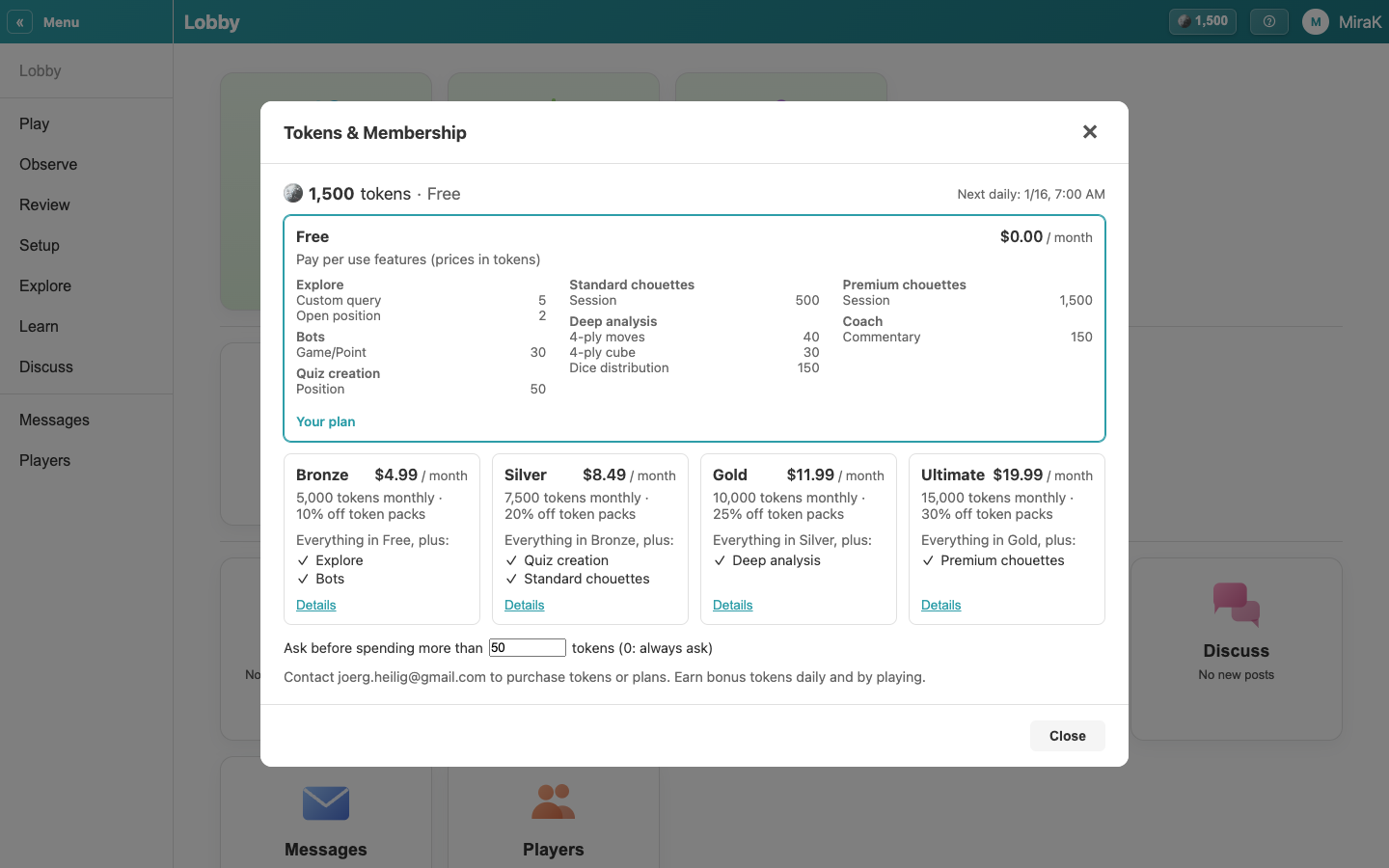
- Without a membership you pay for premium features with tokens, at the prices of the Free plan. A membership adds tokens every month, makes token packs cheaper and includes more features; Details shows a plan's prices.
- Anything dearer than the number at the bottom asks you first. 0 asks every time.
- Close the shop.
Token packs and memberships are bought in the shop: on the website through a secure payment page, in the apps through the App Store or Google Play. A membership is managed where you bought it. You also earn tokens by playing other people.